Key Takeaways
-
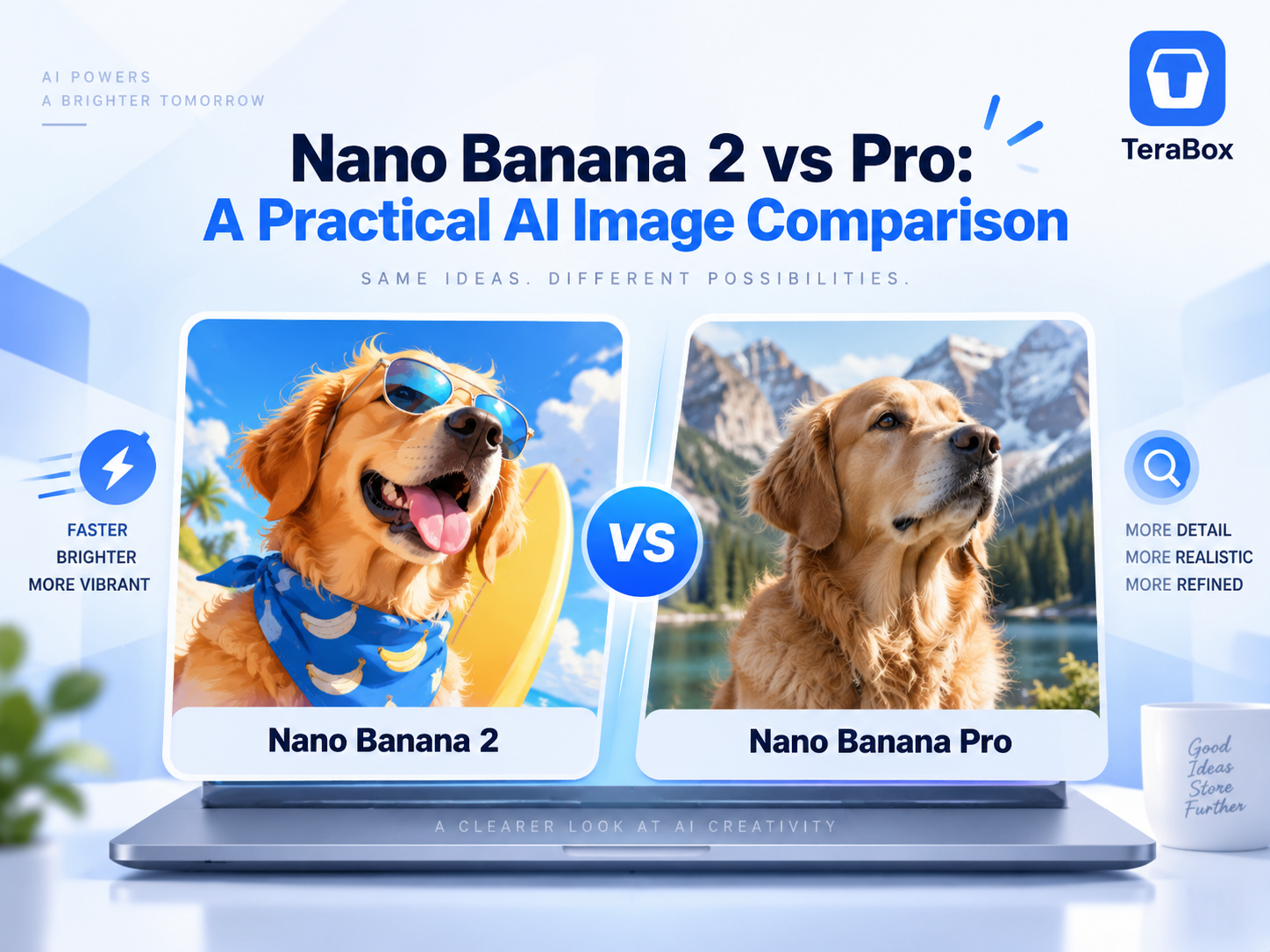
Nano Banana 2 is built for ultra-fast rendering and rapid concept drafting. It excels at vibrant graphic layouts, high-contrast social visual assets, and fast turnaround workflows.
-
Nano Banana Pro focuses on physical lighting accuracy, fine texture preservation, micro-details, and realistic photographic composition.
-
4K Performance: Both engines support high-resolution 4K output, but Nano Banana Pro retains significantly finer surface micro-textures in close-up crops.
-
Flexible Workflow: TeraBox AI Image lets you try both Nano Banana 2 and Nano Banana Pro in the same workspace, so you can switch models depending on whether you need faster iteration or more controlled output.
Introduction
AI image generation has quickly moved from simple text-to-image creation toward more practical creative workflows. As models become more capable, users now have more options.
Within the Nano Banana family, Nano Banana 2 and Nano Banana Pro are two of the main options. Although they share the same model family, they are designed with different priorities in mind.
This guide compares Nano Banana 2 vs. Pro across their key differences and real-world image use cases, with examples created in TeraBox AI Image to help you understand which model better fits your workflow.
What Are Nano Banana 2 and Nano Banana Pro?
Nano Banana 2 is the public name used for Gemini 3.1 Flash Image. Google describes it as a versatile general-purpose image model that balances low latency with 4K generation, reliable text rendering, and multi-reference consistency. It is designed for situations where users want strong results without sacrificing iteration speed.

Nano Banana Pro refers to Gemini 3 Pro Image. It sits higher in the model family and is intended for more complex visual work, including tasks that require greater creative control, contextual understanding, localization, and brand consistency.

Quick Comparison: Key Differences at a Glance
The following table provides an overview of the core technical specifications and official capabilities of both models:
|
Area |
Nano Banana 2 |
Nano Banana Pro |
|
Underlying model |
Gemini 3.1 Flash Image |
Gemini 3 Pro Image |
|
Official positioning |
High-efficiency, general-purpose image generation optimized for speed and high-volume use |
Premium model for professional asset production and complex visual tasks |
|
Output resolution |
0.5K, 1K, 2K, 4K |
1K, 2K, 4K |
|
Reference images |
Up to 10 object references + 4 character references |
Up to 6 object references + 5 character references |
|
Google Search grounding |
Web Search + Image Search grounding |
Google Search grounding |
|
Standard API image price |
$0.067 (1K), $0.101 (2K), $0.151 (4K) |
$0.134 (1K/2K), $0.24 (4K) |
*Pricing is based on standard Google Cloud API documentation for image generation.
Nano Banana 2 vs. Pro: Detailed Comparison
While both models share the same creative core, diving into the details reveals clear performance differences depending on what your creative task demands.
Speed and Generation Efficiency
If generation latency affects your creative workflow, speed becomes an important factor. Nano Banana 2 is built for fast rendering. Designed with a lightweight architecture, it reduces compute time and generates images in seconds.
This makes it a practical option for rapid brainstorming, concept testing, and quick draft iterations.
Nano Banana Pro takes a more calculated approach. It requires additional compute time to calculate realistic lighting, ambient occlusion, and fine surface details. While generations take slightly longer, the additional rendering time results in higher visual realism.
Image Quality and Prompt Accuracy
The core visual difference comes down to stylistic contrast versus photorealistic accuracy.
-
Nano Banana 2 delivers higher contrast, strong saturation, and clear visual hierarchy. It interprets text prompts with a graphic artistic style, producing bold visuals that stand out on digital feeds.
-
Nano Banana Pro focuses on natural rendering and physical accuracy. It handles multi-layered natural language prompts reliably, keeping background elements, shadow falloff, and camera angles aligned without visual artifacts.
Text Rendering, Editing, and Reference Consistency
Creating commercial graphics and brand materials requires clean text placement and image stability:
-
Text and Typography: Nano Banana 2 produces clean, high-impact headline text with sharp graphic boundaries. Nano Banana Pro goes further by integrating text directly into the scene lighting, complete with natural reflections and balanced kerning.
-
Reference Photo Editing: When feeding reference images into a prompt, Nano Banana 2 maintains the subject’s primary facial structure with a smooth, retouched finish. Nano Banana Pro tracks micro-details, faithfully matching skin textures, eye geometry, and subtle fabric folds from your reference photo.
Resolution, 4K Support, and Cost
When preparing visuals for high-resolution displays or print materials, both engines handle 4K rendering differently:
-
Nano Banana 2 4K: Delivers clean, low-noise exports. Lines remain sharp and color gradients stay smooth, making it a cost-efficient choice for digital banners and web graphics.
-
Nano Banana Pro 4K: Preserves fine surface textures. Zooming in on a 4K render reveals micro-details such as fabric weaves, metal textures, and skin pores, making it suitable for final commercial deliverables.
5 Real-World Prompt Tests
Paper specifications only tell half the story. To see how these differences play out in real creative tasks, we put both engines through five identical benchmark tests.
Test 1: Poster Design & Typography Accuracy

For the poster example, we used the same horizontal conference-poster prompt with four exact text elements: “FUTURE DESIGN 2026,” “Ideas. Technology. Creativity.,” “October 18 · Tokyo,” and “REGISTER NOW.”
Both models reproduced the short English copy accurately, but their visual directions were noticeably different. Nano Banana 2 used a darker, more energetic composition with neon geometry and blue-purple lighting, while Nano Banana Pro produced a lighter editorial layout with more negative space and centered typography.
In this case, the more noticeable difference was the visual treatment, which shows how the same prompt can still lead to quite different design directions.
Test 2: Commercial Product Photography

The product prompt featured a transparent skincare serum bottle, glass dropper, water droplets, warm studio lighting, and a neutral background.
Nano Banana 2 placed the bottle on a rough stone surface, giving the image a softer, more organic advertising feel. Nano Banana Pro used a cleaner rectangular pedestal and a more symmetrical composition, producing a result closer to a conventional product hero image.
Both were visually usable. The difference here was less about basic image quality and more about how freely each model interpreted the composition.
Test 3: Complex Multi-Subject Scene Following

Prompt Setup: A rainy café interior with four specific subjects: a reading woman in green, a man in blue standing at the counter, a woman in red using a laptop, and a barista in a black apron pouring milk. Include a yellow umbrella on the right and a rainy street outside.
-
Environmental Ambience: Both models successfully generated the cozy café interior, rain-streaked window glass, warm interior lights, and the yellow umbrella.
-
Spatial Tracking (Blue Shirt Subject): Nano Banana 2 positioned the man in blue standing near the counter as requested. Nano Banana Pro rendered the person in blue seated at a window table.
-
Action Accuracy (Barista): Nano Banana Pro accurately captured the physical pouring action of the barista. Nano Banana 2 depicted the barista behind the counter, but the pouring motion was less distinct.
Takeaway: Multi-subject prompts still require visual verification. Nano Banana 2 followed spatial positioning instructions better, while Nano Banana Pro excelled at capturing complex micro-actions.
Test 4: Reference Image Editing & Character Consistency

For this edit, we uploaded the same portrait and asked both models to replace only the black blazer with a light beige trench coat while preserving the face, hair, expression, lighting, and background.
The Core Metric: Identity Preservation vs. Outfit Replacement
-
Nano Banana 2: Replaced the black blazer completely with a buttoned-up trench coat. The facial structure and hair stayed highly recognizable, though skin tones received a slight smoothing effect.
-
Nano Banana Pro: Took a conservative editing approach. It layered the open beige trench coat over the original black inner garment, retaining natural skin textures, subtle shadows around the eyes, and precise neck geometry from the reference photo.
If your workflow demands strict retention of skin texture and inner clothing layers from a photo reference, Nano Banana Pro provides a more faithful edit.
Test 5: Full Resolution 4K Fine Detail Rendering

The final example used a vintage mechanical camera with several detail-rich materials, including leather, linen, glass, metal, and wood.
Composition and Framing: Nano Banana 2 creates a broader environmental context, showing a window, notebook, and secondary desk items in the background. Nano Banana Pro tightens the focus directly on the camera body, leather strap, and lens assembly.
Micro-Texture Quality:
When exported at 4K resolution and zoomed in:
-
Nano Banana 2 provides clean lines and stylized surface reflections, making it suitable for standard web resolution.
-
Nano Banana Pro reveals authentic surface details, including grain variations on the leather strap, fine metallic knurling on the lens rings, and subtle fiber texture on the linen cloth.
For high-resolution print production or tight macro crops, Nano Banana Pro retains the micro-textures necessary to sustain professional visual scrutiny
Two Models: How to Choose?
Choosing between Nano Banana 2 and Nano Banana Pro comes down to where you are in your design process and what your project requires.

Choose Nano Banana 2 if:
-
You want to explore ideas quickly.If you are still experimenting with different concepts, compositions, or styles, Nano Banana 2 is the more practical starting point.
-
You need multiple variations of the same idea.It is well suited to workflows that involve repeated prompting, concept testing, and everyday image generation.
-
You are creating general marketing or social visuals.For blog graphics, simple campaign assets, social posts, or early design drafts, Nano Banana 2 can often deliver strong results without making the workflow feel heavy.
Choose Nano Banana Pro if:
-
You need more controlled output.Pro makes more sense when the image is closer to final production and details need to stay more consistent.
-
Your prompt is visually complex.If the scene includes multiple subjects, several actions, or tighter composition requirements, Pro is often the more suitable option.
-
You are editing from a reference image.When identity preservation, product consistency, or selective image editing matters, Pro may be the better choice for more controlled refinement.
-
You are preparing higher-value final assets.For polished product visuals, detail-sensitive graphics, or final commercial deliverables, Pro is easier to justify.
How to Generate Images with Nano Banana Models in TeraBox
Instead of juggling different third-party web tools, you can access both engines directly inside TeraBox.
Here is how to access them:
Step 1: Open TeraBox AI Image
Log in to your TeraBox account and navigate to Tera AI. Under the visual creation tools, select Image Generation.

Step 2: Input Your Prompt & Select the Engine
Enter a prompt describing the image you want, including the subject, composition, lighting, style, and any important constraints.

Type your prompt detailing the subject, camera angle, lighting, and visual style. If you are performing a reference edit, upload your image first and state clearly what should change and what must stay fixed.
Open the model dropdown menu and select either Nano Banana 2 or Nano Banana Pro.
Step 3: Generate and Compare

Click Generate. If you want to compare outputs, simply keep your prompt identical, switch the model selector to the other engine, and run it again to evaluate which result fits your project better.
FAQs
What is the difference between Nano Banana 2 and Nano Banana Pro?
Nano Banana 2 (Gemini 3.1 Flash Image) prioritizes fast generation speed, bold graphic contrast, and cost efficiency for daily drafting. Nano Banana Pro (Gemini 3 Pro Image) focuses on photorealistic lighting, fine surface textures, and strict reference image consistency for commercial production.
Is Nano Banana 2 better than Nano Banana Pro?
Neither model is automatically better for every task.
Nano Banana 2 is more attractive when generation speed, repeated iteration, and efficiency matter. Nano Banana Pro becomes more relevant when you need tighter control over a difficult or final-stage image.
For ordinary image generation, the difference may be smaller than the model names suggest.
Can I use Nano Banana 2 and Nano Banana Pro for free?
TeraBox provides limited free usage so you can try both models before upgrading. If you need more generations, upgrading your plan gives you additional usage.
Does Nano Banana 2 support 4K?
Yes. Nano Banana 2 4K output is officially supported. Google currently lists 0.5K, 1K, 2K, and 4K resolution options for Gemini 3.1 Flash Image.
Which model is more beginner-friendly
Nano Banana 2 is generally more beginner-friendly. Its ultra-fast generation speed allows new users to test ideas, tweak prompts, and learn without waiting for long rendering times. It also produces vibrant, high-contrast visual outputs that look great immediately without requiring complex prompt engineering or precise lighting adjustments.
Which model is better for image editing?
It depends on how demanding the edit is. Nano Banana 2 already supports strong reference-image processing and consistency. Nano Banana Pro is positioned for more precision-oriented creative control.
Can I use Nano Banana 2 and Nano Banana Pro in TeraBox?
Yes. The TeraBox AI Image interface shown in the supplied material includes both Nano Banana 2 and Nano Banana Pro in the model selector.
Conclusion
Nano Banana 2 and Nano Banana Pro can both handle a wide range of everyday image tasks, from product visuals and text-based graphics to reference editing and high-resolution generation.
The differences become more useful when you look at them through the lens of your workflow. Nano Banana 2 is a practical choice when you want to explore ideas quickly and create multiple variations. Nano Banana Pro makes more sense when an image is closer to final production and finer edits, consistency, or creative control matter more.
You also do not have to commit to one model for every project. Since both are available in TeraBox AI Image, you can try the same idea with each model and choose the result that better matches what you want to create.