
YouTube has become the go-to platform for self-directed learning. Whether you are picking up coding, studying market trends, or watching deep-dive lectures, there is no shortage of useful content to explore.
But video-based learning comes with a frustrating catch: it is ridiculously easy to feel like you are mastering a topic while watching, only to realize days later that you have forgotten most of it.
To actually retain what you watch without spending hours manually typing out notes, you need a practical way that converts video content into hands-on testing tools. In this guide, I’ll walk through how to turn any YouTube video to flashcards and practice quizzes using an online AI study assistant, making your study sessions much more active and efficient.
Why Taking Notes Is Not Enough for Learning from Videos?
Pausing a video every few minutes to type out notes feels productive, but it can easily turn a one-hour video into a much longer study session.
- It relies on passive recording, not active testing: Copying down what a speaker says uses short-term memory. Real retention happens when you force your brain to pull answers from memory (active recall), which standard notes don’t do.
- Videos are linear, but knowledge is a network: A video plays from start to finish on a timeline. Linear notes end up recording time stamps instead of showing how key concepts connect to one another.
- Core points get buried in fluff: Tutorials and recorded talks often include examples, repetition, and side discussions around a smaller set of ideas worth remembering. Pulling those points out manually takes time.
That still leaves one problem: how do you keep what you learned from fading as soon as you close the tab?
How an AI Study Assistant “Digests” Long-Form Video?
An AI-powered study assistant goes far beyond basic video summarization. Instead of just shortening a transcript, it restructures raw spoken content through three distinct steps:
1. Cleaning the Raw Transcript
The AI processes the video’s audio or transcript, automatically stripping away conversational filler, off-topic tangents, and redundant explanations to isolate the core educational insights.
2. Mapping Key Concepts
Rather than following a rigid video timeline, the tool categorizes information by topic. It identifies key definitions, core mechanisms, and relationships between ideas, turning linear speech into a structured knowledge base.
3. Generating Active Recall Tools
Finally, the extracted insights are converted into interactive study materials—formatting definitions and facts into flashcards and building practice quizzes complete with instant feedback for correct and incorrect answers.
Hands-On Workflow: How to Convert YouTube Videos into Flashcards & Quizzes
Take a 30-minute programming tutorial as a good example, which covers fundamental database management concepts, query types (DQL, DDL, DML), and relational database architecture.
Here is how the video conversion process unfolds step-by-step:
Step 1: Import the YouTube Link
Open TeraBox AI Study Assistant. Instead of manually downloading video files or extracting SRT transcripts, you can feed a raw video link straight into the platform.
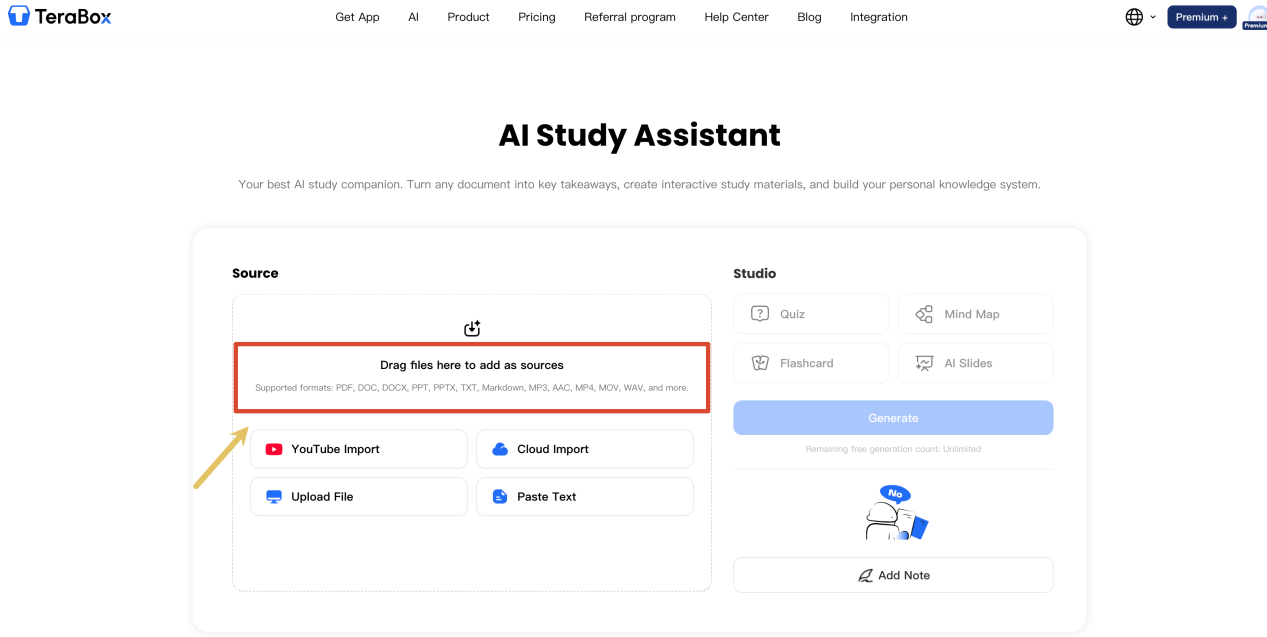
On the dashboard, click YouTube Import, paste the video link (e.g., [https://www.youtube.com/watch?v=5uGCZBFTEow](https://www.youtube.com/watch?v=5uGCZBFTEow)) into the input box, and hit Import.
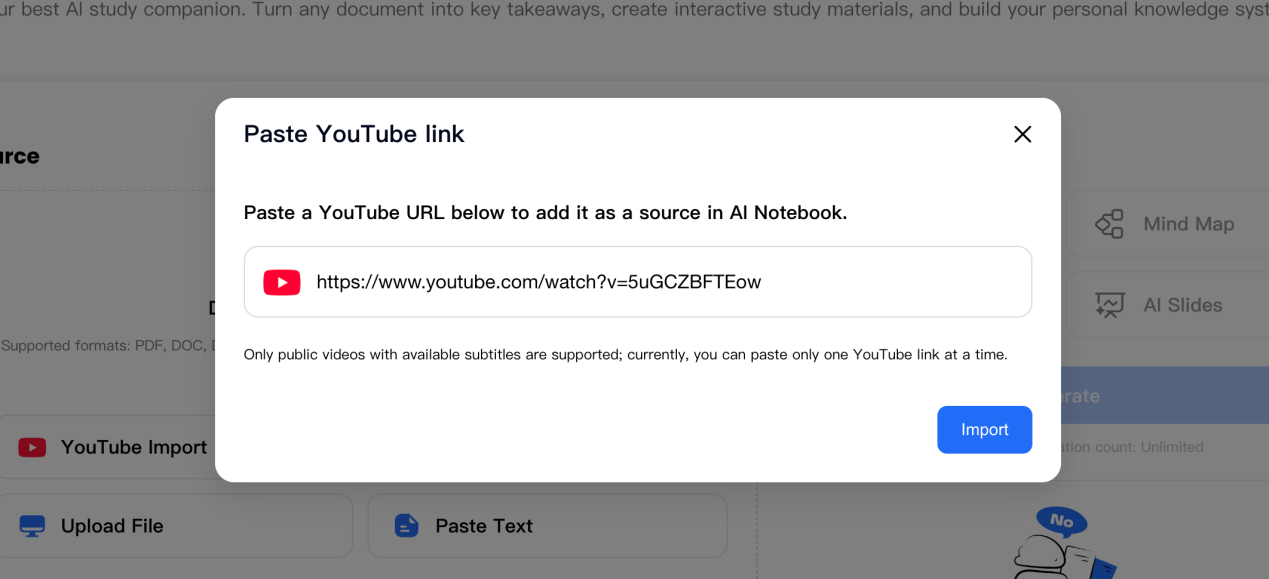
As long as the YouTube video has public subtitles enabled, the tool pulls the transcript directly in the background.
Step 2: Review the video AI Summary and Timestamps
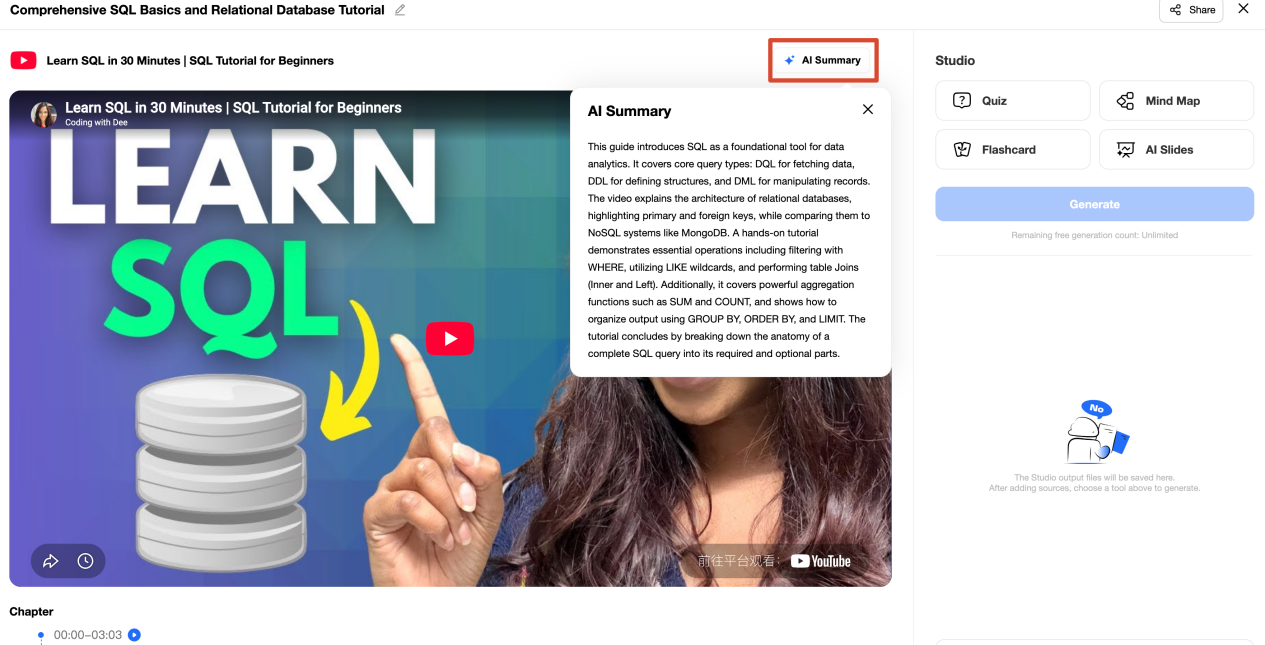
In about a minute, the workspace loads the embedded video along with a couple of structured review features:
In about a minute, the workspace loads the embedded video along with a couple of structured review features:
AI Summary Window: A pop-up modal provides a quick overview of the 30-minute lesson, picking up core topics like WHERE filtering, table JOINs, and the difference between relational databases and NoSQL systems like MongoDB.
Timestamped Chapters: Below the video, the content is broken down into time blocks (such as 00:00–03:03 Introduction to SQL and 05:07–06:18 DML). If you miss a question later, clicking a timestamp takes you straight back to that exact segment in the video.
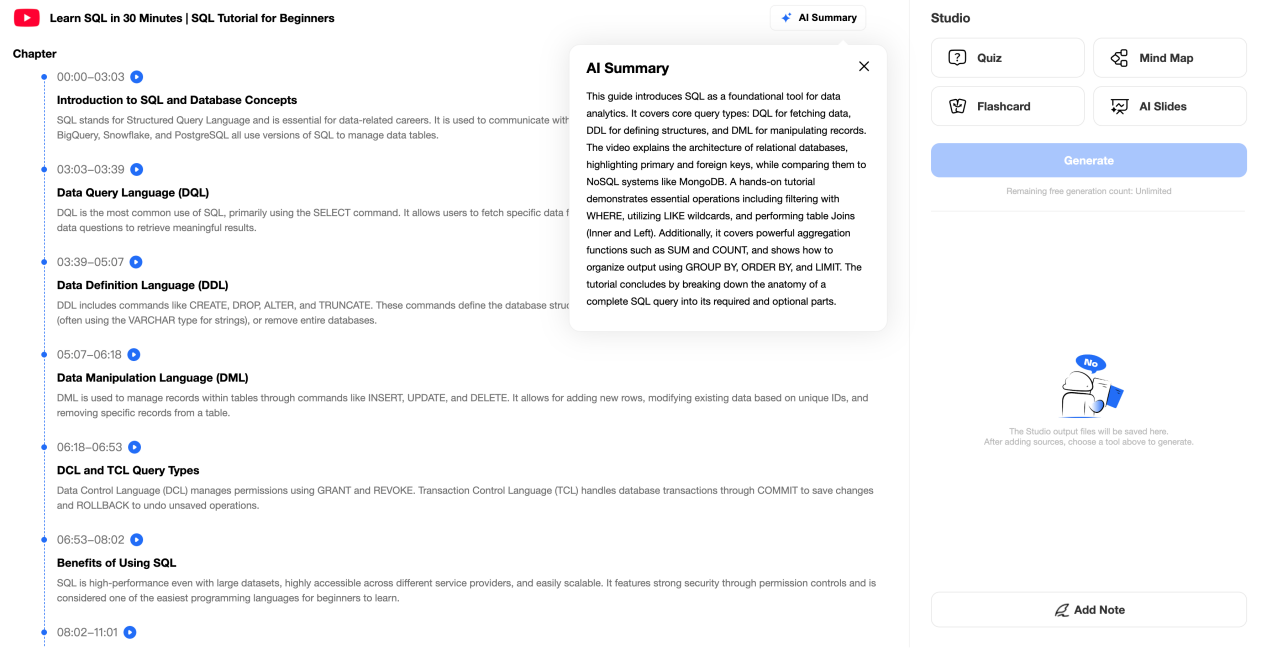
Adding Notes: The Add Note option on the right margin lets you jot down personal reminders directly beside the generated summary.
Step 3: Select Generation Format
On the right-hand Studio panel, the tool offers four distinct creation formats: Quiz, Flashcard, Mind Map, and AI Slides. While you can explore Mind Maps or AI Slides depending on your study habits, we will focus on the active recall formats for this workflow.
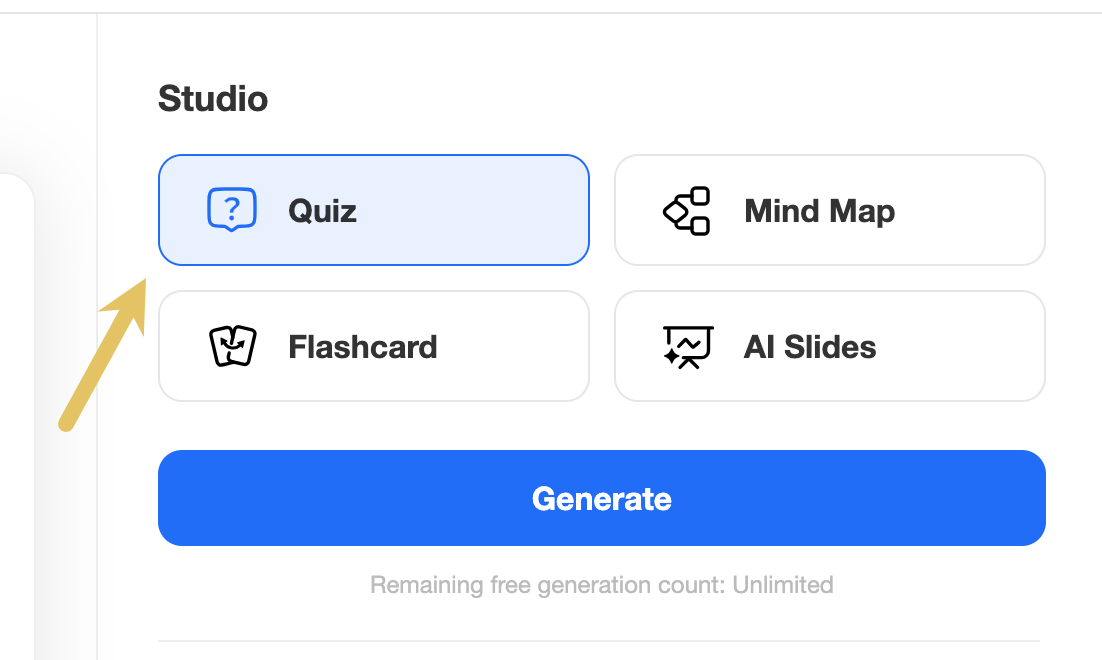
Select either “Quiz” or “Flashcard”(or both), and click the blue Generate button. The generation takes roughly 60 seconds to process the entire transcript.
Step 4: Test with Flashcards and Quizzes
Your newly created study sets appear directly under the Studio menu (e.g., “Quiz 1 Foundational SQL Basics Quiz”). Clicking one opens a distraction-free review interface:
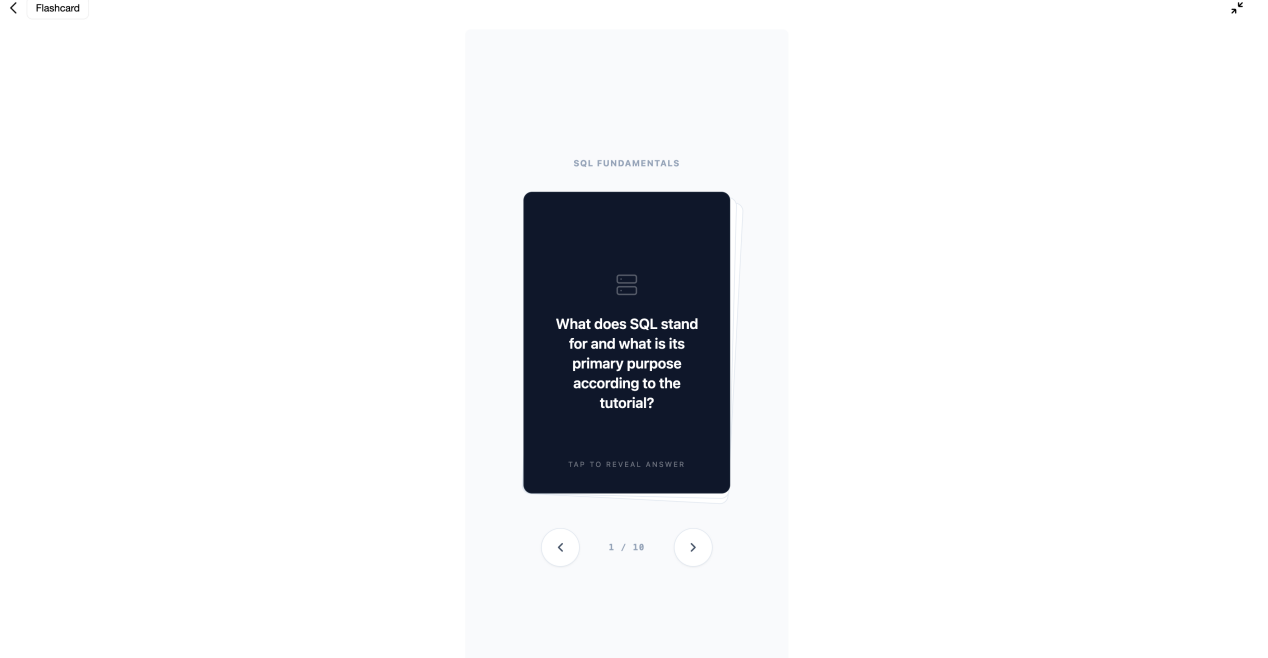
Flashcards: The tool generates a 10-card deck under SQL Fundamentals. Each card presents a clear prompt on the front—like “What does SQL stand for and what is its primary purpose according to the tutorial?”—and flipping the card reveals the answer.
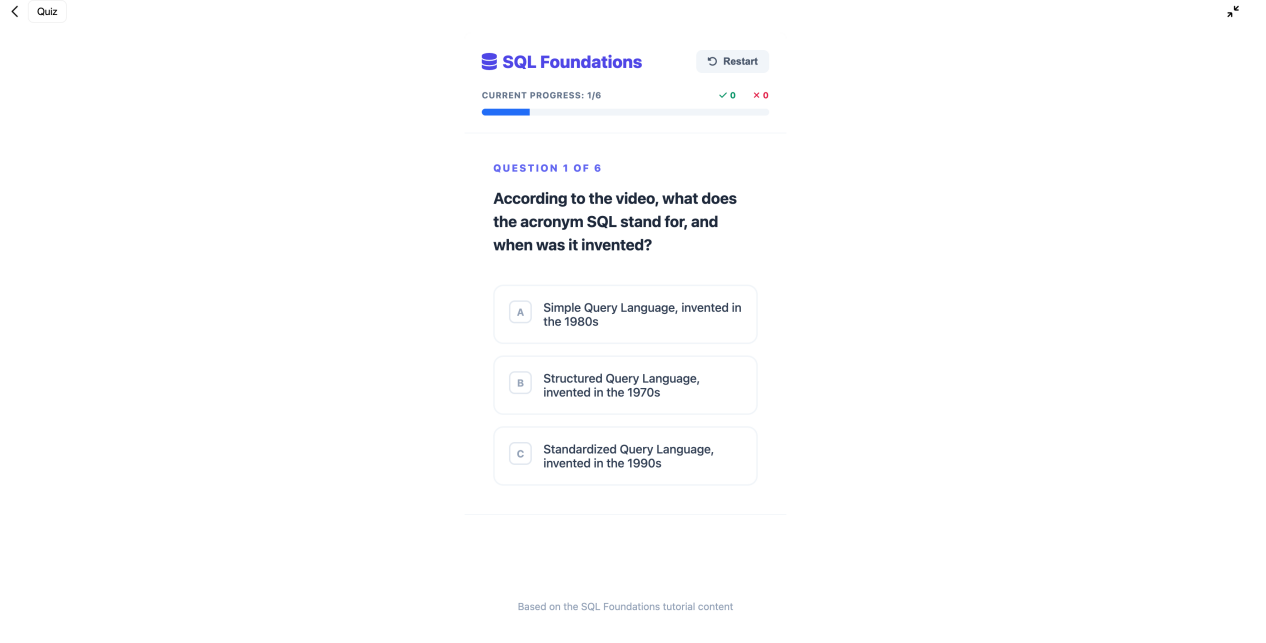
Practice Quizzes: The quiz module generates multiple-choice questions testing specific factual points (like SQL definitions and command types), featuring a live tracker (Current Progress: 1/6) to show how well you retained the video material.
Who Is This Skill-Building Workflow Really For? (Personal Experience & Recommendations)
Based on my recent experience with this setup, this kind of study tool works best for structured, information-heavy videos. If you use YouTube for everyday skill building, it saves a massive amount of manual note-taking time.
I find it particularly useful for coding and tech learners who need to memorize syntax and database commands before writing code, as well as professionals trying to turn 1-hour industry webinars into quick 5-minute quizzes. It is also a lifesaver for anyone with an overflowing “Watch Later” playlist full of long lectures they never get around to rewatching.
A quick tip on video selection: Spoken, structured content works best for generating active quizzes and flashcards. For visual-heavy, hands-on tutorials (like video editing or 3D modeling) where most of the learning comes from watching mouse movements on screen, you can instead rely on the AI-generated timestamps to jump directly to the exact sections you need.
FAQ
Is there a video length limit for generating study materials?
No strict length limit exists, but shorter to medium-length videos (10 to 45 minutes) yield the most focused quizzes and flashcards. For multi-hour lectures, processing takes slightly longer, and reviewing the generated summary or timestamps first helps narrow down specific sections to test.
How accurate are the AI-generated flashcards and quiz questions?
Accuracy is high because the AI extracts facts directly from the video transcript. However, if a video has low-quality auto-generated captions or heavy background noise, minor phrasing errors can occur. Scanning the generated summary before starting a quiz is always good practice.
What is the main difference between using flashcards and quizzes?
Flashcards focus on rapid term recall, key definitions, and quick concept checks (flipping over a card to verify your answer). Quizzes use multiple-choice formats with progress tracking to test deeper comprehension and evaluate how well you retain factual details.
How fast does the AI generate study materials from a video?
It typically takes around 60 seconds to process a standard 30-minute video transcript and generate a complete quiz deck or flashcard set, allowing you to start reviewing almost immediately.
Conclusion
Taking notes on a long tutorial can easily add more time to an already lengthy video. Turning a YouTube video into flashcards and practice quizzes helps extract the core summary of the lesson while testing whether you have actually retained the key concepts.
If you have a video saved in your “Watch Later” list, try running it through TeraBox learn partner to generate a quick study deck. It is a simple, low-effort way to summarize the main takeaways and test your real understanding.