Have questions about TeraBox login? Solved!
The best software tool or service that offers its users several benefits is TeraBox free cloud storage. Just to mention a few benefits, TeraBox is affordable, user-friendly, and provides a high level of security for its users. You can access your files from anywhere in the world with an internet connection. Keep reading your beginner’s guide to TeraBox login!
On top of this, you instantly get a cloud storage space of 1 TB or 1024 GB for a lifetime the moment you sign up and log in on the TeraBox platform. This free cloud storage is perfect for storing your photos, videos, music files, and more. These qualities of TeraBox cloud storage make it an ideal storage solution for businesses and individuals alike.
What Is TeraBox?
If you’re looking for a cloud storage solution that is reliable, affordable, and user-friendly, TeraBox is the perfect option and the right choice for you. In this article, we will provide an overview of TeraBox Login and show you how to get started with TeraBox. We’ll also discuss some of the benefits of using TeraBox cloud storage. So if you’re ready to learn more about TeraBox, keep reading!
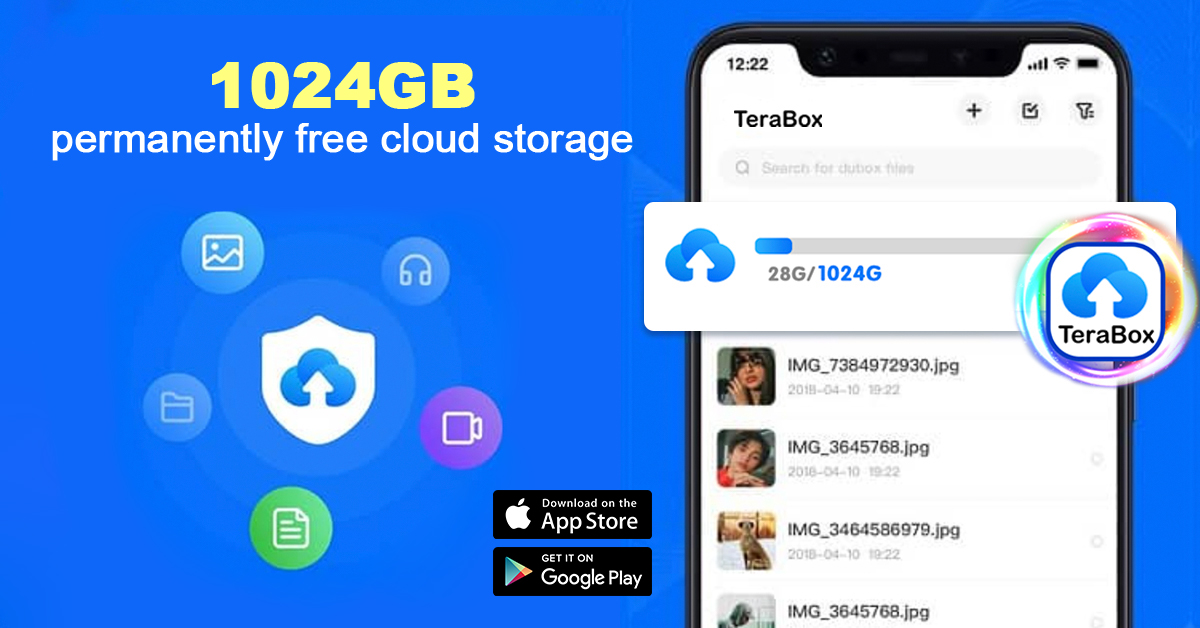
TeraBox is a free cloud storage software tool that is currently in use by over 35 million people throughout the world.
The reason for the popularity of this amazing and ultimate cloud storage tool is pretty straightforward. That is that TeraBox is by far the best cloud storage and automatic backup facility out there.
How to Set Up a TeraBox Login Account?
Then you may ask: how to set up a TeraBox login account? Well, you have been heard and in this part, we are going to share exactly the same thing with you.
Below are the simple steps to setting up a TeraBox login account:
Step 1: Start by visiting the TeraBox official website. To use the web application, log in directly with the panel on the right. You can log in with Google, phone number, email, Facebook, or Apple ID.
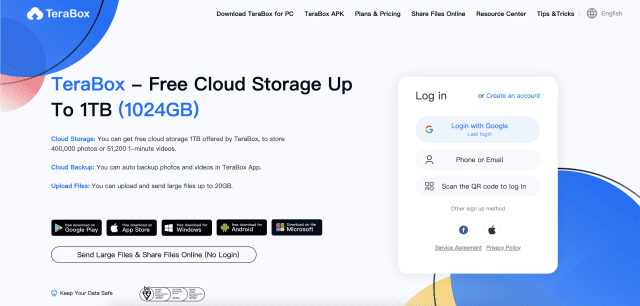
Step 2: However, we strongly suggest downloading the app to log in so that you can fully enjoy the cloud experience. Download the appropriate version for your system, whether it is Windows, Android, or iOS.
Step 3: Install TeraBox on your device.
Step 4: Open the app and proceed with TeraBox login using your email or phone number. It should be noted that while you can also log in with Google, Facebook, or Apple ID, but these third-parties accounts are different from TeraBox accounts. Please remember not to mix the username and password for the two types of accounts, or you won’t be able to log in.

The good thing is that you can use the same TeraBox login whether you are going to use an Android, Windows PC, or iOS.
Tip: If you are using TeraBox for the first time, you should first register a TeraBox account. Read more on how to register on TeraBox.
Why Would I Want to Login TeraBox?
Here are some of the major reasons why TeraBox is a great choice for storing your data in the cloud:
- Affordable pricing:

TeraBox offers competitive pricing on all of its plans. In fact, TeraBox is the only platform that gives 1 TB of free cloud storage space for life as soon as you get your TeraBox account ready. 1 TB of storage space is enough for most people, as individuals need storage space mostly to back up their WhatsApp chat and messages, videos, movies, images, documents, and more.
Just to get an understanding of the enormity of 1 TB of cloud storage space, you can store up to 2500 HD movies spanning 2 hours each, 400,000 high-quality photos, or 2 large-sized games using 1 TB or 1024 cloud storage space.
Meanwhile, the premium plan of TeraBox, which gives 2 TB of cloud storage, is also within range, and you can get it for $3.99 per month.
So, concerning pricing, TeraBox is by far the best cloud storage option available on the market.
- Easy to use:

Another reason that must convince you to download and go for TeraBox login is its user-friendliness. From every aspect, TeraBox is easy to use, even if you’re not tech-savvy. The TeraBox interface has all the necessary things in exactly the right places for the ease of its users. Their user-friendly interface makes it simple to upload, download, and access your files from anywhere.
- Safe and secure:

In the contemporary world, privacy is a major concern with all digital products, especially cloud storage services. People frequently have to store their most sensitive, private, and classified information and data in the cloud, and they simply cannot risk losing it to unauthorized hands or hackers. So, is TeraBox safe?
In conclusion, TeraBox takes security seriously. All data is encrypted and stored in a secure data center. We also offer two-factor authentication for added protection, so that when you login TeraBox, you don’t have to worry about security breaches.
Moreover, users get the facility of a private safe where they can keep their most private and sensitive files in fully encrypted form and no one can read them.
- Fast customer support:
If you ever have any questions or issues, TeraBox’s 24-hour on-call customer support team is always available to help. They’re quick to respond and will help you resolve any problems you may have, including any questions you have with TeraBox login.
- Superb upload/download speed:

With TeraBox, users get an upload or download speed of 4.7 MB/sec, which is pretty fast.
After getting to look at the wide and amazing features of TeraBox free cloud storage, I believe that you surely will not only agree but also look to sign up for this amazing tool as well.
Final Thoughts
TeraBox is a clear champion software tool among all competitors in the market, offering safe and secure cloud storage free options such as private safe, client end encryption, and time-bound file sharing links, as well as fast upload and download speeds of 4.7 MB/sec. You don’t need many details for TeraBox login.
You will just need an email, a phone number, or even a Facebook account will suffice. The whole process is so simple that you will be done with it within seconds. So, download TeraBox free now and log in to TeraBox today to start enjoying the amazing benefits of this amazing tool.
I’ve been using this app since Feb 2023.
I had free premium through 12-12-2023, with over 8100 gold snd 27 or 28 consecutive sign-ins.
Today the app dumped me while I was viewing the videos and all my info has disappeared. ???
I’m sorry to hear about your bad experience with Terabox. Please feel free to send an email to [email protected] Please provide a detailed description of your issue and attach any relevant image files. Our VIP support team will be dedicated to serving you and efficiently solving your problems. Thank you for your continued support!
Great article, just what I needed.|
Helpful information. Lucky me I found your site accidentally, and I’m shocked why this accident didn’t happened in advance!
I bookmarked it.