
Is TeraBox safe, or is it causing data loss? Learn how to do a safe TeraBox login to prevent accidental data loss in this article.
Given how people rely on cloud storage for storing and backing up important files, cloud security deserves extra attention. From signup, daily use, to regular maintenance, we should adopt different security measures to make sure that data loss does not occur in the cloud, and that no ill-intended parties can hack into our accounts.
As one of the most popular cloud services, TeraBox has over 100 million users globally. Though TeraBox security is trusted and validated, recently we noticed some questions and doubts about TeraBox causing data loss. Some users reported that the files they had uploaded to the cloud somehow went missing; others showed concerns about data integrity when they change to new devices. In this article, we will debunk all the myths, and share some tips and tricks about a safe TeraBox login.
Is TeraBox Causing Data Loss?
As a credible cloud service that provides 1 TB of free cloud storage for everyone, TeraBox enables users to take thorough and long-term backups of their digital devices. The large cloud capacity and high-level cloud security make TeraBox ideal for data backup and recovery, preventing data loss under all circumstances.
However, there have been some reported issues regarding lost accounts and missing cloud data. In this section, we are going to see what’s causing the hassle, and what can you do about it.
Not My Account?
Some users were surprised when they logged in TeraBox and found themselves landing at a somewhat unfamiliar account, where they could only recognize some of the files, or some files which were supposed to be there were nowhere to be found.
This may happen if you have mistaken TeraBox accounts for third-party ones. Some users enjoy the convenience of logging in via Google in the browser directly, while they remain logged in with their TeraBox account on their phones all the time. As a result, they end up switching between the two types of TeraBox login accounts without knowing it, hence the above situation. It would be a good idea to stick to one or keep good track of both.
Did My Files Get Deleted by TeraBox?
Some users reported that they couldn’t find some files for unknown reasons, and wondered if it was because TeraBox was deleting users’ data without their knowledge. We would like to clarify that TeraBox only provides cloud storage, but does not make any changes to the data users store in the cloud, which is completely private and uninterrupted.
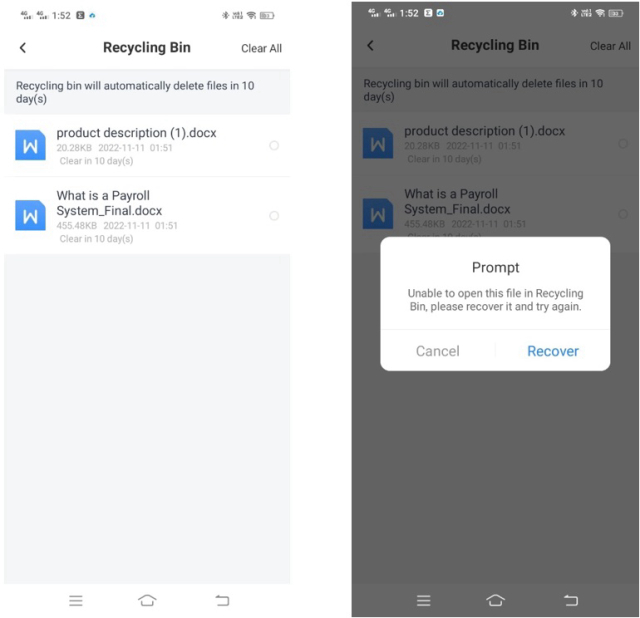
We would advise users who encounter this issue to check again if they have accidentally moved or deleted some files. There’s one place you would probably want to check: Recycle Bin, where your recently deleted files are kept for another 10 days, or 30 if you are a subscribed user.
Will My Data Be Erased?
People also worry about data loss when they switch to a new device; they are afraid they won’t have access to the files in TeraBox anymore. But this is not a reason to worry about TeraBox security. TeraBox is a cross-platform cloud storage, which is available on Android, iOS, and Windows. Once your data is uploaded to the cloud, it is stored securely there, and you can view and download it from different devices and systems by logging into the same account.
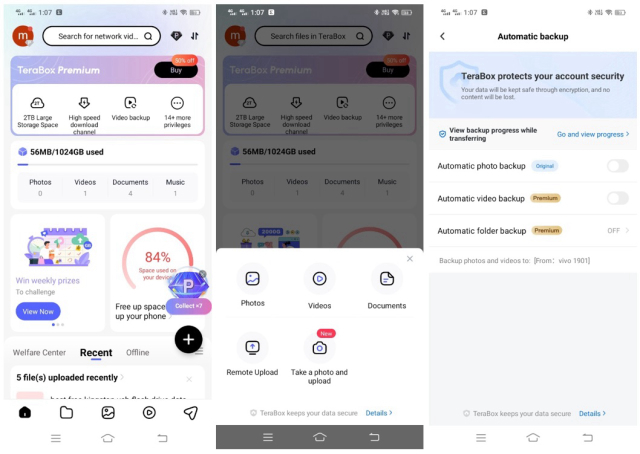
In fact, when you use a new phone, TeraBox is the perfect tool to transfer data from the old device to the new one. You can enable TeraBox automatic backup for photos, videos, and folders on your old phone, and get all the data uploaded in minutes as you set up the new phone and log into TeraBox. Then download the files to the new phone, or keep them in the cloud, whichever way you like it.
If you have other questions about data loss, TeraBox login, or anything else, please do not hesitate to leave a message on our Facebook Page (@teraboxofficial). We are always here for you.
How to Log in TeraBox Safely?
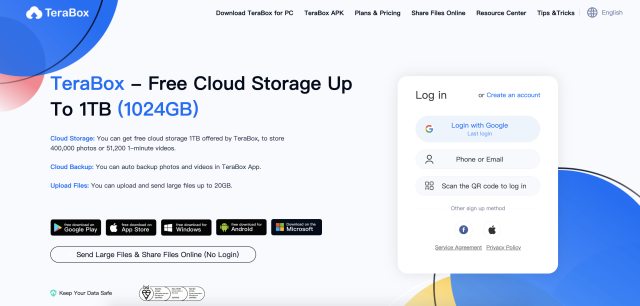
Whether you are using your phone number, email address, or third-party account for TeraBox login, you can always feel at ease, for we take it as our utmost responsibility to protect your cloud data security from day one.
TeraBox uses tw0-factor authentication (2FA) to validate users’ identity at every signup and login. For instance, when you log in with your phone number, you’ll receive a text message with a verification code, which you’ll then enter into the login interface. This step makes sure no one but the real owner of the account can sign in.
You can also log in TeraBox via third-party platforms, including Google, Facebook, and Apple. By using third-party authentication, you don’t have to create or memorize a new set of passwords, hence reducing the possibility of password-related breaches. Some users consider it more reliable to log in with third-party accounts.
Nevertheless, we still have a few tips to make your TeraBox login even more secure:
- Log in from credible ends: Log in from TeraBox official website or app to ensure you do not enter your credentials where you are not supposed to;
- Use unique and strong password: Use a different password for TeraBox, combining upper- and lower-case characters, numbers, and punctuation marks;
- Clear cache regularly: Cache tracks your search history, cookies, and other private data, so it’s advisable to clean it frequently.
TeraBox Security: ISO Certified
Ever since its launch in 2020, TeraBox has kept users’ cloud data security at the focal point of our business. We aim at being the last ditch to prevent data loss, not only from users’ habits, but more importantly, from malware and cyber-attacks. Over the years, we have spared no efforts to provide cloud storage of high-level security to users across the world. In the course of events, there have been many monumental moments; but the most noteworthy of them all is without doubt our achievements in ISO certification.
ISO, or International Organization for Standards, is a non-governmental organization responsible for setting international standards for products that concern every aspect of our life, in order to guarantee their safety, quality, and efficacy. To gain an ISO certification, a product must meet the designated requirements; that’s why ISO is important to establishing the credibility of the business, and the trust within consumers.
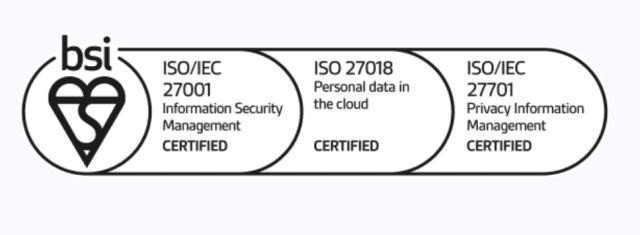
To strengthen our data management security system, TeraBox started the application of ISO 27001 (Standard for Information Security Management Systems) in the early stages. This standard specifies the requirements for the establishment, implementation, maintenance, and continual improvement of an information security management system within an organization. With this certification, TeraBox is eligible to manage security assets with a low and manageable level of security risks.
And this is not it; TeraBox security always aims higher. It has also successfully obtained ISO 27018 certification for cloud privacy and data protection, qualifying it as a secure cloud service provider. Furthermore, TeraBox also got ISO 27701 as an extension of ISO 27001. It indicates that TeraBox is able to control risks and protect the privacy of users.
Going forward, TeraBox will continue to safeguard data security with powerful encryption protocols, anti-crawling mechanisms, and two-factor authentication, and uphold our reputation as a trustworthy secure cloud provider.
Final Thoughts
In this article, we’ve covered the techniques of how to log into TeraBox safely, and answered some of your questions about data loss and synchronization related to login. Now you’ve got the skills you need to make a safe and smooth TeraBox login. Go ahead and login TeraBox, and enjoy 1 TB of free cloud storage!