You finish a discovery call, the prospect is interested, and they ask for a quote. Then the clock starts. If your process involves hunting down a spreadsheet, manually totaling line items, formatting a PDF in Word, and firing off an email — you already know the pain. A faster competitor may land the deal before your quote even arrives.
Small businesses make up 99.9% of all U.S. companies — about 33.2 million firms as of 2024, according to the U.S. Chamber of Commerce. Most are operating with lean teams that cannot afford quoting bottlenecks, pricing errors, or quote-status black holes. Yet many still rely on spreadsheets and email threads for a workflow that directly impacts revenue.
This guide breaks down what quoting software for small business actually is, which types of tools exist, what features to prioritize, how pricing works, and how to make a smart buying decision without wasting time on platforms built for enterprise teams. By the end, you’ll have a clear framework and a practical evaluation checklist.
| 99.9%
of U.S. companies are small businesses |
73%
of SMBs cite slow, error-prone quoting as a top obstacle* |
28%
faster deal closes reported by CPQ users* |
* Vendor-reported figures (Kickflip/CPQ survey); treat as directional.
What Is Quoting Software for Small Business?
Quoting software is a tool that lets you build, send, track, and manage price quotes — also called estimates or proposals — for your products and services. The core workflow is straightforward: create a quote, customize line items and pricing, apply taxes or discounts, send it to a customer, and track whether they open, accept, or decline it. When accepted, good quoting software converts the quote directly into an invoice or sales order without re-keying data.
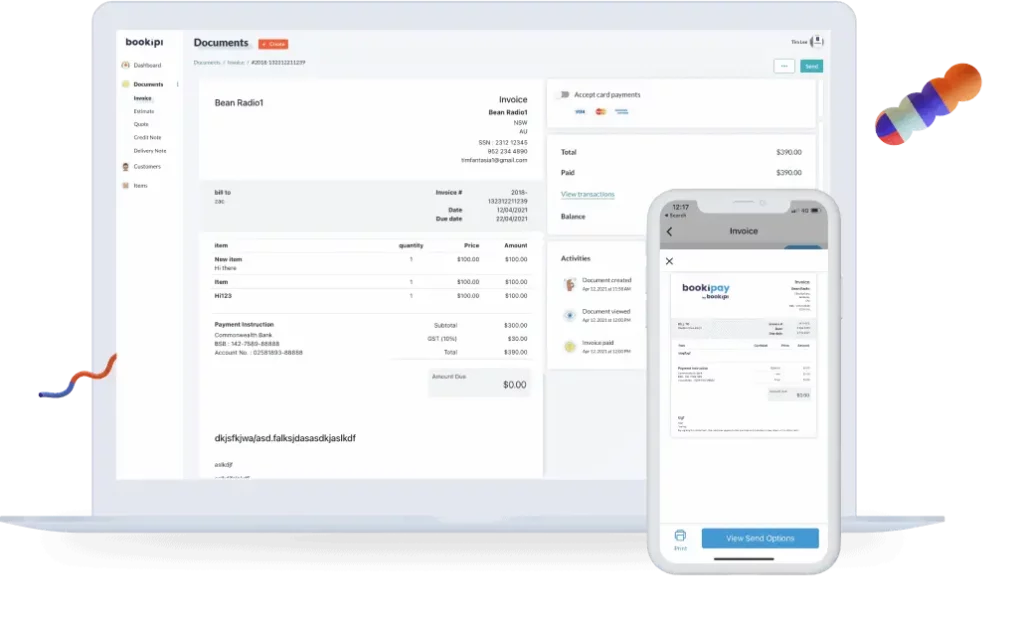
Modern quoting platforms work across desktop and mobile, keeping your workflow connected end to end.
What Quoting Software Usually Includes
- Branded quote templates with your logo and styling
- Product and service line items with descriptions, quantities, and unit pricing
- Automatic tax calculations, discounts, markups, and optional add-ons
- Customer approval or acceptance workflow
- E-signature support and online payment or deposit links
- Quote status tracking (sent, viewed, accepted, expired, revised)
- Reminder notifications and follow-up prompts
Related Terms Buyers Often Confuse
Search results for this topic mix several overlapping categories. Here’s how they differ in practice:
- Quote vs. estimate: A quote typically implies firmer, locked pricing. An estimate signals that the final amount may vary based on scope — common in trades and construction.
- Quote vs. proposal: A proposal is more persuasive and sales-oriented, often including case studies, team bios, and a narrative pitch. A quote is primarily a pricing document.
- Quote software vs. invoice software: Quotes come before a sale is made. Invoices come after a customer accepts and you need to collect payment. Many platforms handle both.
- Quoting software vs. CPQ: CPQ (Configure-Price-Quote) software is an advanced category built for businesses selling configurable products with complex pricing rules. Most service businesses need standard quoting software, not full CPQ.
Who Actually Needs Quoting Software?
The honest answer isn’t “every business.” It depends on your quote volume, complexity, and the consequences of speed and accuracy. These are the business types that benefit most:
Best-Fit Business Types
- Service businesses (cleaning, landscaping, IT, consulting) that send repeat estimates with similar line items
- Contractors and field service teams that need to quote on-site from a mobile device
- B2B sellers that need quote tracking, internal approval steps, and CRM integration
- Product businesses selling bundles, configurations, or custom specifications
- Agencies and creative firms that send branded proposals with pricing and scope
Signs You’ve Outgrown Spreadsheets
Spreadsheets work fine at very low quote volume. They become a liability when:
- Quotes consistently take more than 30 minutes to produce
- Pricing errors have caused margin leakage or customer disputes
- Team members send quotes in inconsistent formats
- You have no reliable way to know whether a customer has seen the quote
- Revisions create email-thread confusion and version conflicts
- Accepted quotes get manually retyped into your accounting or invoicing platform
The real cost of manual quoting isn’t just time — it’s the deals lost while a competitor responds faster, and the margin eroded by pricing inconsistencies that no one catches until the job is done.
Types of Quoting Software Small Businesses Will See in Search Results
Before you start trialing tools, it helps to understand which category actually fits your workflow. The market breaks into five distinct segments:
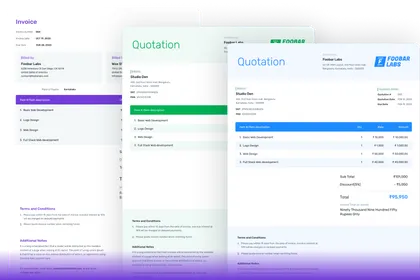
Quote, estimate, proposal, and invoice tools overlap significantly — knowing which category fits your workflow saves evaluation time.
| Category | Best For | Complexity | Setup Effort | Typical Cost |
| Simple Quote & Estimate Apps | Solo operators, small service teams | Low | Low | Free – $30/user/mo |
| Proposal Software with Quoting | Consultative sales, agencies, higher-value deals | Medium | Medium | $20–$80/user/mo |
| Quote + Invoice Platforms | Businesses tying quoting to billing & payments | Medium | Low–Med | $15–$60/user/mo |
| CPQ Software | Configurable products, rules-based pricing | High | High | $65–$200+/user/mo |
| Industry-Specific Tools | Trades, manufacturing, field service | Medium | Medium | $30–$120/user/mo |
Pricing ranges are illustrative and change frequently. Always verify on vendor sites before budgeting.
The Most Important Features to Compare
Vendor marketing lists dozens of features. Focus your evaluation on what actually drives faster quoting, fewer errors, and smoother customer experience.
Ease of Use for Small Teams
The best quoting software your team won’t adopt is worthless. Look for a clean interface with fast quote creation, minimal training requirements, pre-built templates for your most common jobs or products, and a fully functional mobile experience. If your salespeople or technicians need onboarding courses just to send a quote, that’s a red flag.
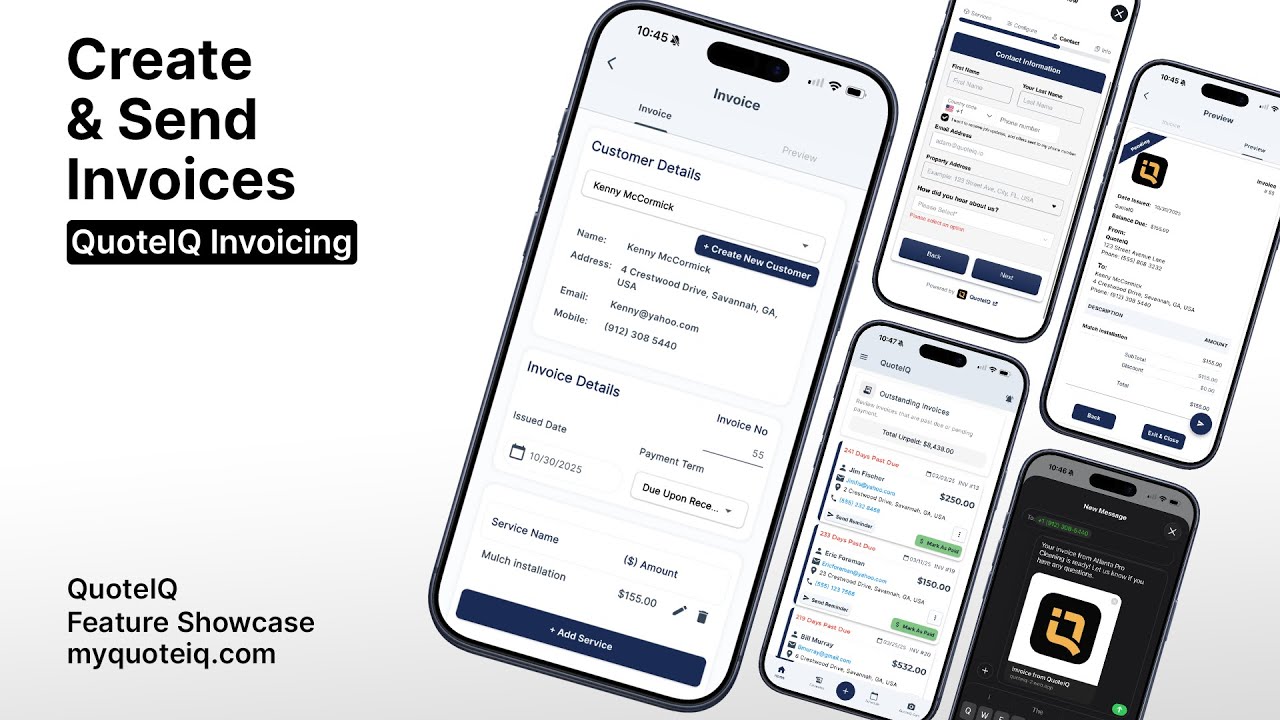
Mobile-first quoting is essential for contractors, field service teams, and owner-operators who quote on-site.
Pricing Flexibility and Accuracy
Look for custom price books, percentage and fixed discounts, tax configuration by region or product type, optional add-ons, approval thresholds for discounts over a set percentage, and multi-currency if you serve international customers. The goal is a system where pricing logic lives in the software — not in individual staff members’ heads.
Customer Approval Experience
The moment your quote lands in a customer’s inbox is a user experience touchpoint. Prioritize: one-click online acceptance, e-signature support, online deposit or payment links, automatic expiration dates, and view-tracking notifications. A customer who can sign and pay in a single flow closes faster with less back-and-forth.
Revisions, Versioning, and Change Management
Real jobs change. You need to duplicate and revise quotes quickly, maintain version history, and handle change orders without confusion. If a customer questions which version they approved, you should be able to prove it in seconds — not dig through an email thread.
Integrations With Your Existing Stack
The integration checklist nearly every small business owner needs to run:
- Accounting (QuickBooks, Xero, FreshBooks): confirmed two-way sync and invoice conversion
- CRM (HubSpot, Salesforce, Pipedrive): quote creation from deals without re-entering data
- Payment processors (Stripe, Square, PayPal): deposit or full payment on acceptance
- Job management or scheduling tools: relevant for field service, trades, and home services
- Ecommerce platforms: for product sellers offering customer-facing configuration
Always verify whether integrations are native (built in) or require a middleware tool like Zapier — the latter adds cost and maintenance burden.
Reporting and Quote Tracking
Visibility matters. Track open rates on sent quotes, acceptance rates by rep or service type, average turnaround time from creation to approval, and revenue tied to quote stages. These metrics help you spot bottlenecks — and identify which quote types convert well.
How Much Does Quoting Software Cost?
Common Pricing Models
- Per user/per month: The most common model. Costs scale predictably with team size.
- Flat-rate subscription: A fixed monthly fee regardless of users. Better for larger teams, but can be pricier for solopreneurs.
- Tiered plans by features: Basic plans often exclude e-signature, analytics, or integrations. Make sure your must-haves aren’t on the top tier.
- Transaction or payment-processing fees: Some platforms add a percentage when customers pay through the platform.
- Add-on costs: E-sign packages, CPQ modules, API access, and premium support often cost extra.
Hidden Cost Factors Small Businesses Overlook
- Setup and configuration time (calculate your own hourly cost)
- Staff training — even “easy” platforms have a learning curve
- Data migration from spreadsheets, templates, or a previous platform
- Custom integrations that need developer involvement
- Premium support packages that are required for fast response
How to Think About ROI — Not Just Subscription Price
A $50/month quoting tool that saves your team four hours per week, eliminates one pricing error per month, and cuts quote-to-signature time from five days to two has an ROI that dwarfs its subscription cost. Anchor your evaluation on time saved, errors prevented, and faster deal cycles — not just the monthly line item.
Rule of thumb: Avoid overbuying enterprise features. If you quote fewer than 50 jobs per month with relatively stable pricing, you don’t need rules-based CPQ. Start with a simple, well-integrated platform and grow into complexity only when you hit clear workflow limits.
How to Choose the Best Quoting Software for Your Business
Skip the generic feature-list comparisons. Use this five-step decision framework instead.
Step 1: Start With Your Workflow
Answer these before you open a single vendor site: Are you quoting services, physical products, or configurable products? Do you need to quote from a mobile device in the field? Do quotes require internal approvals before going to a customer? Do customers need to sign online or pay a deposit immediately?
Step 2: Map Your Existing Tech Stack
List the tools you already use: your CRM, accounting software, payment processor, ecommerce platform, and scheduling or job-management app. Any quoting tool you choose needs to integrate with this stack — or you’ll recreate the manual data-entry problem you’re trying to solve.
Step 3: Define Must-Haves vs. Nice-to-Haves
Write two lists. Must-haves are workflow blockers — features you cannot operate without. Nice-to-haves would improve your process but are not dealbreakers. This list prevents feature creep during demos, where sales reps showcase impressive capabilities that don’t match your actual needs.
Step 4: Test Real Quote Scenarios
During free trials, don’t build the vendor’s sample quote. Build two or three of your own actual quotes — including one with a revision, one with optional add-ons, one with a discount requiring approval. See how long each takes. Compare the customer-facing output. Then test the integration with your accounting platform before committing.
Step 5: Evaluate Adoption Risk
Ask: Can every non-technical person on your team use this confidently within a week? What happens if the person who set it up leaves? Is support responsive enough for a lean team with no IT department? A sophisticated tool that sits unused because adoption failed is a waste of budget.
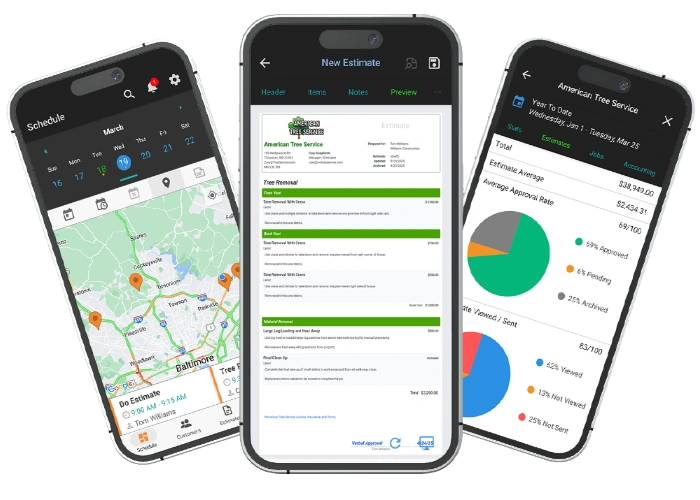
Industry-specific tools like field service quoting apps combine scheduling, estimating, and job analytics in one mobile-friendly platform.
Small Business Quoting Software Evaluation Checklist
| ✅ Workflow Fit
☐ Supports my business model (service, product, or configurable product) ☐ Handles my average quote complexity without excessive workarounds ☐ Works on desktop and mobile if field quoting is required ☐ Supports revisions, change orders, and quote versioning
|
| ✅ Financial Accuracy
☐ Taxes, discounts, and markups are easy to configure and stay consistent ☐ Pricing logic is enforced — not dependent on individual staff memory ☐ Deposits and payment links are supported if online payment is needed ☐ Accepted quotes convert to invoices or orders automatically
|
| ✅ Integration & Data Flow
☐ Native integration with my accounting software (QuickBooks, Xero, etc.) ☐ Connects with my CRM or customer database without middleware ☐ Reduces or eliminates duplicate data entry across tools ☐ Fits my existing payment processing workflow
|
| ✅ Team Adoption
☐ Non-technical staff can create and send a quote without training ☐ Onboarding is fast — hours, not weeks ☐ Pre-built templates match my most common quote types ☐ Support channels are responsive and well-reviewed
|
| ✅ Commercial Evaluation
☐ Pricing is transparent and doesn’t hide must-have features in top-tier plans ☐ Free trial reflects a real workflow, not just a polished demo scenario ☐ Total cost of ownership (subscription + setup + training) is sustainable ☐ Vendor support and product roadmap inspire confidence for the long term
|
Comparison Angles That Matter Before You Buy
Quoting Software vs. Spreadsheets
Spreadsheets win on zero cost and zero setup time. They lose on speed (building each quote from scratch), consistency (different staff format quotes differently), tracking (no view or acceptance notifications), revision control (version confusion in email threads), and professionalism (a PDF exported from Excel rarely looks as credible as a designed, branded quote). At low volume — fewer than five quotes per week with simple pricing — spreadsheets are defensible. Beyond that, they become a liability.
Quoting Software vs. Proposal Software
Proposal platforms (PandaDoc, Proposify, etc.) excel when the sales content — your pitch, case studies, and team credentials — matters as much as the price. Standard quoting software is faster and simpler when pricing accuracy and turnaround speed are the primary goals. If your average deal is under $5,000 and the customer mostly wants a clear price and a smooth approval process, full proposal software may be overkill.
Quoting Software vs. CPQ
CPQ makes sense when your products have many configuration options, mutually exclusive components, complex pricing rules, or customer-facing self-service configuration. For most small service businesses, traditional quoting software delivers equivalent results with a fraction of the setup cost and complexity.
All-in-One Platform vs. Best-of-Breed Tool
All-in-one platforms (e.g., a CRM that also does quoting) offer one login and fewer integrations to manage. Specialist quoting tools often offer deeper workflow features. The right choice depends on how central quoting is to your daily operations. If you send 50+ quotes per week, a dedicated tool usually outperforms a feature buried inside a broader platform.
What to Watch for During a Demo or Free Trial
Questions to Ask Every Vendor
- How long does a typical setup take for a business our size?
- Which integrations are native vs. require Zapier or custom development?
- How are revisions and version history handled?
- What happens immediately after a customer accepts a quote?
- Can customers sign and make a payment in one session?
- What quote conversion rate data is available in reporting?
Red Flags to Walk Away From
- Pricing is not publicly listed and requires a sales call to discover
- The mobile workflow is clunky or incomplete
- Your critical integration requires a paid add-on or middleware
- Setup requires vendor-led customization before basic use
- Core features like e-signature or tracking are locked behind the most expensive plan
- Support reviews across G2 or Capterra consistently mention slow response times
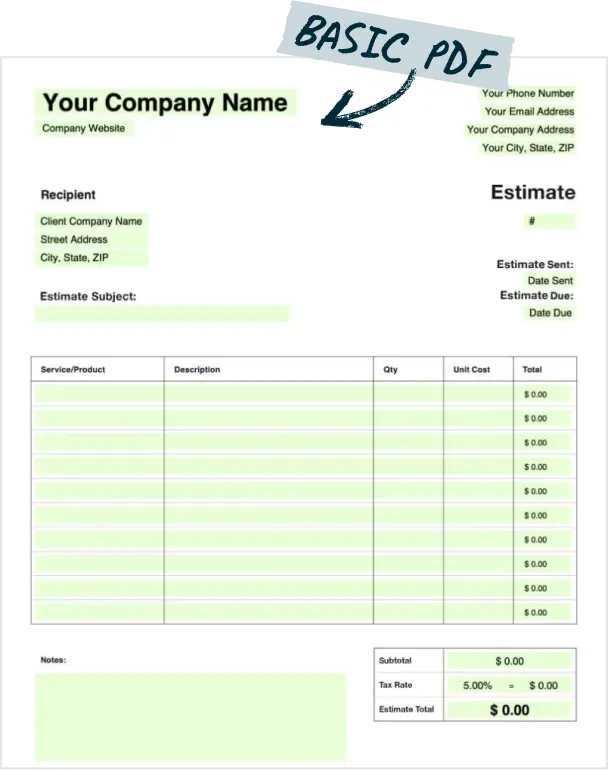
A well-designed estimate template is the foundation — great quoting software makes it consistent, branded, and trackable every time.
The Right Quoting Software Fits Your Workflow — Not the Other Way Around
There’s no single “best” quoting software for every small business. A solo contractor quoting roofing jobs on-site has different needs than an agency pricing a six-month retainer or a manufacturer configuring custom product orders. The right tool is the one that maps cleanly to your workflow, integrates with the systems you already use, and gets adopted by your team without a fight.
Start by identifying which category fits your use case — simple estimate app, quote-and-invoice platform, proposal tool, or CPQ. Then build your must-have feature list, test real quote scenarios during trials, and evaluate total cost of ownership rather than just subscription price. The goal isn’t the most powerful tool on the market — it’s the one that makes your quoting process faster, more accurate, and more professional starting this week.
💡 Next Steps for Your Business: Sending a professional quote is only half the battle. If you want to impress clients and close higher-value deals, pair your pricing with a stunning sales deck using the best Google Slides presentation maker to build your pitches faster.
Frequently Asked Questions
What is the best quoting software for small business?
There’s no single answer — the best tool depends on your business type, quote complexity, and tech stack. Service businesses often do well with simple quote-and-invoice platforms. Businesses selling configurable products may need CPQ. Evaluate by category fit first, then compare must-have features and integrations within that category.
Do small businesses really need quoting software, or are spreadsheets enough?
Spreadsheets work at very low quote volumes with simple pricing. They become a bottleneck when speed matters, errors are costly, team consistency is hard to enforce, or tracking sent quotes is critical. If any of those describe your current situation, dedicated quoting software will pay for itself quickly.
What features should small business owners prioritize first?
Start with ease of use and fast quote creation, pre-built templates, pricing accuracy (taxes, discounts, markup), customer approval flow with e-signature, and integration with your accounting software. Add advanced reporting and CPQ features later once core workflows are running smoothly.
How much does quoting software cost for a small business?
Pricing ranges from free (basic tier) to $200+/user/month for advanced CPQ platforms. Most small business quoting and estimate tools land between $15 and $80/user/month. Factor in setup time, training, and integration costs when calculating total cost of ownership — the subscription price alone is rarely the full picture.
What’s the difference between quoting software and CPQ?
Standard quoting software handles general quoting workflows — line items, pricing, send, track, convert to invoice. CPQ (Configure-Price-Quote) adds rules-based product configuration, complex pricing logic, and guided selling flows. Most service businesses don’t need CPQ; it’s best suited for manufacturers, distributors, and product businesses with many configurable options.
Can quoting software integrate with QuickBooks or Xero?
Yes, many quoting platforms offer native QuickBooks and Xero integration. Always verify which data fields sync (customers, line items, taxes), whether the sync is bidirectional, and whether invoice conversion happens automatically on quote acceptance. Some integrations require a paid add-on or a middleware tool like Zapier.
Can customers approve quotes online and pay a deposit?
Many modern quoting platforms support online acceptance, e-signatures, and payment or deposit links in a single customer-facing flow. However, not all do — confirm this feature is included in the specific plan you’re evaluating, not just on a higher tier.
Is there quoting software that works well on mobile?
Yes. Several platforms — particularly those built for field service, trades, and home services — are designed as mobile-first experiences. If you or your team quote on-site, prioritize tools with a dedicated mobile app that allows full quote creation, photo attachment, and customer signature capture on a phone or tablet.
What should I test during a free trial or demo?
Don’t rely on vendor demo scenarios. Build two or three of your actual, real-world quotes — including one with a revision, one with optional items, and one requiring a discount. Then send the quote and test what the customer experience looks like. Finally, verify your critical integration works as advertised before you commit.
Sources: U.S. Chamber of Commerce via Embroker (2024); CPQ adoption statistics from Kickflip (vendor-reported, 2026). Vendor-reported statistics are marked as directional and should not be treated as independent benchmarks.